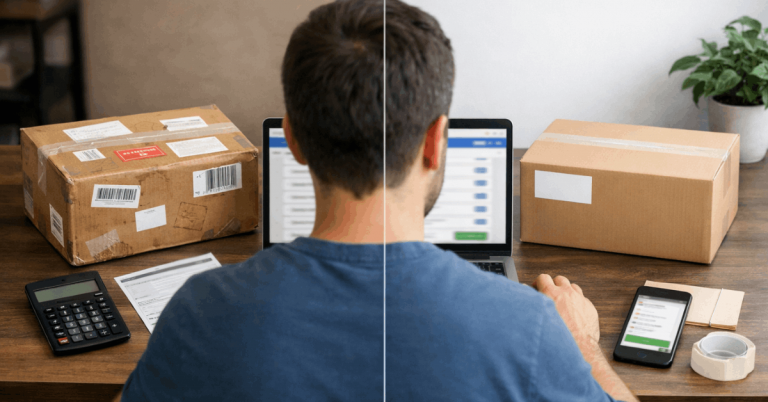
International shopping feels easy until an order stops moving. Many buyers lose time because they misread what processing time really means. Processing is the seller’s handling window before a carrier accepts the parcel.
If you track that window, you judge delivery risk and protect refunds. This article explains signals that separate handling from stalling. You will learn what to verify and what evidence to save.
Processing Time Is Not Shipping Time, And That Difference Costs Buyers Money
Processing time is not the same as shipping time, and the difference can cost you money. Sellers can print labels and mark items shipped, so nothing leaves their hands.

You should treat early status changes as claims that need proof. The AliExpress Help Center defines handling stages and buyer protection rules.
When expectations match those definitions, you avoid disputes. You spot seller delays before they become failures.

What “Processing” Usually Includes On International Marketplaces
Processing starts after payment clears, and the seller confirms the order. It includes picking stock, packing, and generating the shipping label. Some sellers also move items from a supplier to a local warehouse.
Platforms may count weekends and holidays inside the handling window. Note the promised range and the exact end date. If the date passes without shipment proof, you can escalate.
The Tracking Trap: Why “Label Created” Is Not Proof Of Movement
A “label created” update only shows a tracking number was generated. It does not confirm the carrier received the parcel or scanned it. Some sellers print labels while orders sit unboxed.
The carrier acceptance scan is the real start because it proves custody transfer. If the label status lasts days, save screenshots and message once. You are building a timeline for a non shipment claim.
Where Buyers Should Look First To Confirm Rules
Before you argue, confirm the rules for that order. Open the AliExpress Help Center and find processing and shipment definitions. Check how protection time is counted and when cancellation is allowed.
Take a screenshot of the policy line, and the order promises same-day delivery. Policy wording keeps your case objective when a seller reframes the delay. It helps you choose cancel, dispute, or wait by the deadline.
How Processing Time Influences Dispute Eligibility
Dispute eligibility often depends on whether the shipment is within the processing window. If processing ends and there is no acceptance scan, claim non shipment. That differs from late delivery claims, which need more waiting and route evidence.
Choose the reason that matches platform definitions, not the seller’s story. Correct categories reduce rejections because reviewers see a rule match. If deadlines approach, file with dates and screenshots.
Why Processing Time Can Be Legit, Or A Red Flag
Processing time can be legitimate, but it can also hide seller problems. Custom work, small batches, and stock transfers can take time.

Vague delays often signal missing inventory or weak fulfillment discipline. The Etsy Help Center explains processing for handmade and custom listings.
When you match the promise to the product type, you judge delays fairly. You also know when patience stops being reasonable.
A Normal Delay Versus A Stall Pattern You Should Not Ignore
A normal delay has a cause and a ship date. A stall pattern appears when the seller repeats lines with no proof. You may see extensions, canceled requests, or shifting excuses.
Stalls often appear when stock is missing, and the seller buys time. If the seller cannot confirm pickup or acceptance, treat the order as risk. Save screenshots and keep messages inside the platform.
How Marketplace Transparency Changes The Meaning Of Processing
Some platforms show timestamps, while others show “processing” or “shipped.” When transparency is low, sellers can delay without you seeing scan gaps. When transparency is high, you can compare promised handling to events.
More visibility reduces the seller’s room to stall because the record is clear. Reward sellers who publish clear timelines and update them. That behavior correlates with reliable delivery and fewer complaints.
What Etsy Processing Time Signals About Handmade And Custom Orders
On Etsy, processing time can include production time, not just packing. An item may take days to prepare, then ship. The Etsy Help Center explains how sellers set processing and delivery estimates.
Confirm whether the item is made to order before judging the timeline. If the seller cannot provide progress updates or refuses to provide them, the risk increases. Ask for a ship date and save the reply.
The Buyer Actions That Keep You Safe During Extended Processing
When processing is long, use structured check-ins, not daily pressure. Confirm the ship date and ask what milestone comes next.
Set a reminder to review the status days before that date. Keep questions short and factual, and avoid emotional language.
Consistent documentation strengthens your position if you need to cancel or dispute. If the seller misses the deadline, escalate rather than wait again.
How To Use Processing Time To Predict Delivery, Not Guess It
Processing time is useful when treated as a forecasting input. Combine handling promises with route risk and speed to estimate arrival.

This matters where third-party sellers compete with delivery expectations. The Amazon Customer Service pages explain steps like “preparing for shipment” clearly.
Even outside Amazon, that clarity helps you judge real progress. You learn which updates show movement and which are cosmetic.
Combine Processing Time With Carrier Speed And Route Risk
A processing promise is meaningless if the route is congested at customs. Add buffer days when shipping crosses borders or uses consolidators. Peak periods slow down warehouses and deliveries together.
Route risk rises when handoffs are frequent, and tracking is thin. If you need the item soon, choose sellers with quick handling and strong reviews. If you cannot, plan fora delay and avoid urgent purchases.
Why Amazon Style Handling Standards Set Buyer Expectations
Amazon trained buyers to expect movement from payment to pickup. Its pages explain stages like packing and shipment confirmation. Other marketplaces ship in batches, so updates can look slower.
Compare the seller’s promise to their business size instead of expecting Amazon speed. A small seller can be reliable, but they must state limits upfront. If they do not, treat the timeline as an estimate.
A Simple Checklist To Evaluate Whether A Seller Can Ship On Time
Before you buy, check reviews for dispatch speed. Look for policy text that states processing time, cancellations, and tracking method.
If carriers are offered, confirm the seller also promises faster handling. Fast shipping cannot fix slow handling when the inventory is not ready.
Watch for generic photos and vague stock language, which can signal drop shipping. These checks reduce late arrivals and reduce dispute stress.
When Processing Time Ends But Shipping Still Does Not Start
If processing ends and tracking shows label activity, escalate. Ask for the pickup date, carrier name, and proof of handoff. If the seller sends a new tracking number, keep the old one.
Multiple tracking resets can signal that the first shipment never happened. Do not wait for vague updates when the handling deadline is missed. Cancel or file a non shipment dispute, based on policy.
What To Do When Processing Time Breaks Trust
When processing time breaks trust, you need a first response plan. Start with the handling end date on the order page.

Act as soon as that date is missed, using proof and deadlines. The PayPal Resolution Center is a backstop when you pay through PayPal. It has its own timelines, so waiting too long can close that option. A process stops “please wait” loops.
The Message That Forces A Useful Answer
Send one message that asks for proof, not reassurance. Request the acceptance scan date and pickup confirmation. Ask whether the item is in stock and whether the label is on a real parcel.
Specific questions limit dodging and reduce generic excuses. Set a response deadline that fits the cancellation or dispute window. If the seller cannot answer, escalate with the facts you saved.
When To Cancel, When To Dispute, And When To Escalate
Cancel when the platform allows it, and there is no acceptance scan. Dispute when processing is missed, and the seller cannot prove the shipment. Escalate when the seller stops responding or pushes you past deadlines.
Your timing should follow policy dates instead of seller comfort. If you paid with PayPal, track both windows at the same time. Use the earliest deadline, so you keep options open.
Using PayPal As A Backstop When Marketplace Tools Fail
If the marketplace stalls, PayPal can add pressure through its dispute process. In the Resolution Center, upload proof of purchase and seller messages. Include the processing promise and show that no carrier acceptance scan exists.
Clear screenshots matter more than long explanations for reviews. Open the case once stalling is obvious, then update only with new facts. Avoid off-platform deals that weaken your documentation trail.
How To Prevent The Same Processing Time Problem Next Time
Before you buy again, treat processing time as a reliability signal. Choose sellers with dispatch feedback and policies that match inventory claims. Be cautious with listings that promise fast handling but mention “partner warehouse.”
Safer purchases come from realistic timelines that sellers meet repeatedly. Pay with methods that offer dispute tools, and keep messages on the platform. These habits reduce delays and make global buying predictable.
Conclusion
Processing time shapes orders by determining when shipping can begin. Once you understand what processing time really means, you stop guessing and start measuring. Verify rules through pages, then track acceptance scans and missed dates.
Those facts support cancellations, disputes, and PayPal cases when needed. Marketplaces vary, but your decision-making can stay consistent. With timelines and proof, you protect refunds and reduce surprises.